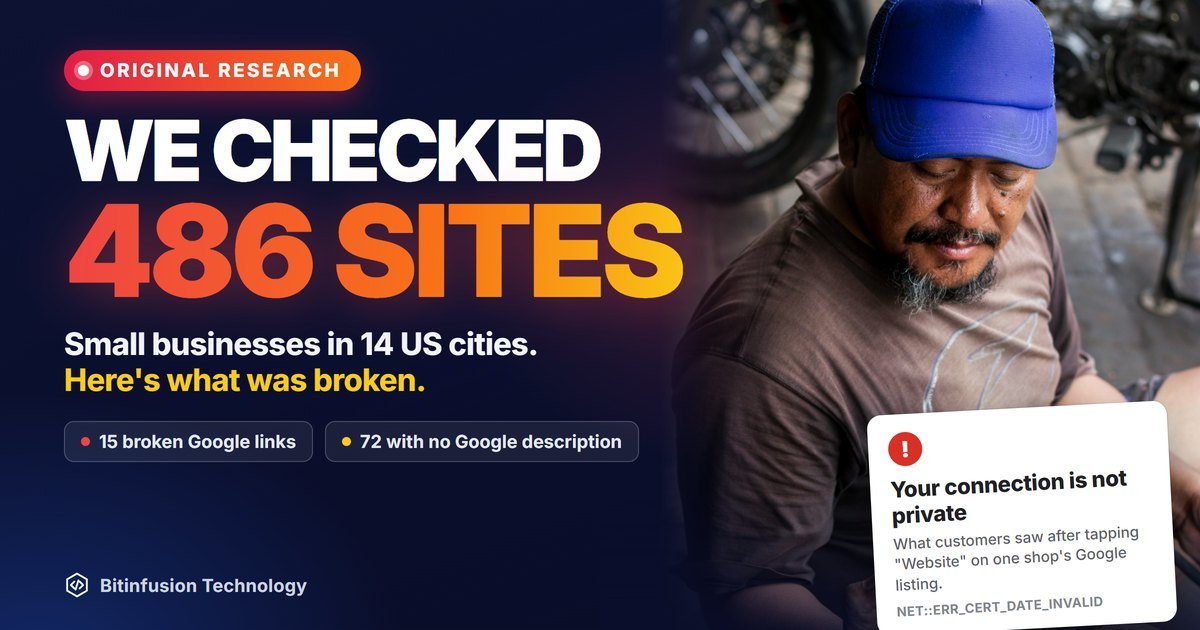
Updated 24 November 2026. Short answer: most of the small-business websites we checked worked, but the problems we did find were easy to miss and expensive to leave. In November 2026 we checked the websites of 486 local businesses we found on Google Maps in 14 US cities. 15 of their Google listings sent customers to a broken site. Of the 364 sites that opened normally, 72 (about 1 in 5) had no description for Google, 47 had a page title that was empty or started with "Home", and 13 showed phones a shrunken desktop page. Most of these take minutes to fix once someone notices them.
How did we check the sites?
We searched Google Maps for local trades and shops in Boise, Charlotte, Cincinnati, Indianapolis, Kansas City, Louisville, Omaha, Pittsburgh, Raleigh, Richmond, Sacramento, Salt Lake City, Spokane and Tulsa. That gave us 727 businesses: mostly auto body and repair shops, florists, upholsterers and plumbers, plus roofers, pest control firms, carpet cleaners, movers, chiropractors, electricians, locksmiths and a few law and accounting offices.
486 of them listed a website. For each one we:
- fetched the home page and the contact page and read the HTML with a parser: page title, description, phone layout tag, security certificate and website platform;
- opened every site that looked broken or hard to use in Chrome at phone width (390 pixels) and took a screenshot;
- confirmed every "site is down" result from test servers in the US, because some US sites block visitors from other countries while working fine for local customers.
364 sites opened normally for our checker. The rest blocked automated visits or timed out, and we did not count those as broken. We don't name any of the businesses here.
What did we find?
| Problem | Sites | Out of |
|---|---|---|
| Google listing sends customers to a broken site | 15 | 486 with a website |
| No description for Google (meta description) | 72 | 364 that opened normally |
| Page title empty or starting with "Home" | 47 | 364 |
| Phones see a shrunken desktop page | 13 | 364 |
What did the broken listings look like?
In each of these 15 cases, someone who found the business on Google Maps and tapped "Website" got something other than the business:
- An expired security certificate. Chrome shows a full-page warning, "Your connection is not private", instead of the site. Most people go back to Google and pick the next shop. One certificate had expired more than a year earlier.
- A domain for sale. One listing pointed to an address that now shows a "for sale" page asking $2,995.
- A "site not published" page. Website builders show this when a plan lapses or the domain is no longer connected to the site.
- "This site has been stopped by the administrator". A switched-off hosting account, with nothing else on the page.
- An online store marked unavailable.
The businesses behind these links were not struggling: several had dozens of five-star reviews. The causes are usually dull. The card on file expired and the hosting or certificate didn't renew, or the person who set up the site moved on and nobody else has the login.
Why does a missing description or a "Home" title matter?
The page title is the blue headline in Google's results, and the meta description is often the text under it. With no description, Google picks a line from the page itself, which can be a menu, a cookie notice or a string of phone numbers. A title like "Home" tells someone scanning the results nothing about who you are or where you work.
A better title names the business, the main service and the place, for example "Smith Upholstery | Furniture and Auto Upholstery in Tulsa". The description should say in a sentence or two what you do, where, and how to get in touch. Google can still choose its own text, but it says it uses your description when it gives searchers a more accurate summary of the page than text taken from the page itself (Google Search Central: meta descriptions, title links).
What does a "shrunken desktop page" mean?
13 sites had no tag telling phones how wide to draw the page, or a layout too wide for a phone screen. On a phone they showed the whole desktop page scaled down: text too small to read and buttons too small to tap. For a plumber or a body shop, the customer is often standing next to the problem with a phone in their hand, so this is the screen that matters most.
What else did we notice?
- Old footers. Of the 327 home pages we could read in full, 28 showed a copyright year of 2023 or earlier. Google doesn't care, but visitors notice, and some will wonder whether the business is still open.
- No https. 12 sites still loaded over plain http, which Chrome labels "Not secure" next to the address.
- A placeholder email. One shop with dozens of five-star reviews showed the right email address on its contact page, but the link behind it went to info@mysite.com, left over from the website template. Anyone who clicked it was writing to nobody.
Which website builders were they using?
Of the 327 home pages we could read in full, WordPress was the most common (112), followed by Wix (36), Shopify (24), Squarespace (23) and Duda (21). 12 were built with older tools such as FrontPage, 9 were on Hibu or Yodle, and for 75 we couldn't tell. The broken listings were spread across several platforms and hosts. In our sample, the builder mattered less than whether anyone checked the site after it went live.
How can you check your own website in five minutes?
- Tap your own Google link. Search your business name on your phone, open your Google listing and tap Website. Make sure your site opens with no warning.
- Look at it on your phone. Can you read the text without zooming? Can you tap the phone number and buttons easily?
- Tap every contact link. Phone numbers, email links, the booking button and the form. Send yourself a test message.
- Read what Google shows. Search your business name. Does the blue title say who you are and where? Does the text under it make sense?
- Check your renewal dates. Find out when your domain and hosting renew, which card they bill, and who has the logins. Put the dates in your calendar.
What does it cost to fix?
Most of what we found is a small job: renewing a certificate and turning on auto-renew, reconnecting a domain, writing a proper title and description, or fixing a contact link. If a site is too old to work on a phone, rebuilding it usually makes more sense than patching it. Our guide to small-business website costs covers what that costs, and our own small-business sites start at $499.
If you'd like a second pair of eyes, send us your website link and we'll check it on a phone and send back five things to fix, free.
Sources
- Our own checks of 486 small-business websites listed on Google Maps in 14 US cities, November 2026: HTML parser, Chrome phone renders at 390 pixels, and US test servers for sites that looked down.
- Google Search Central: Control your snippets in search results
- Google Search Central: Influencing your title links